One account, two formats
A 38 MB APK for Android and a web app added from Safari for iOS, signed in with the same account as the website.
Titan Luck app: APK for Android, shortcut for iOS
Put Titan Luck on your phone: a 38 MB APK on Android 7 or newer, a web app added from Safari on iOS 13 or newer, with two-factor authentication and phone unlock
Installing Titan Luck on your phone
What the app gives you
One account, two formats
A 38 MB APK for Android and a web app added from Safari for iOS, signed in with the same account as the website.
The lobby on your home screen
Slots, 120 live tables, arcade games and the Free Spins Wheel one tap away.
Protected sign-in
Two-factor authentication, fingerprint or Face ID unlock and TLS encryption.
Titan Luck in your pocket
Put Titan Luck on your phone: a 38 MB APK on Android 7 or newer, a web app added from Safari on iOS 13 or newer, with two-factor authentication and phone unlock
Go Mobile Gambling carries a risk of addiction. You must reach the legal age in your province, and the bonus terms apply.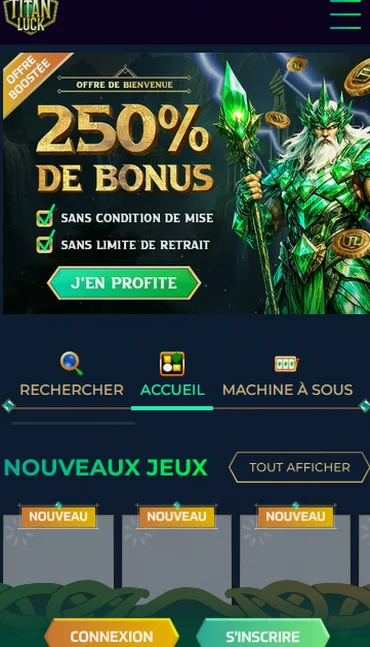
System requirements
Android
iOS
The Titan Luck app in short
Pros
Cons
Installing the app safely
What you should do
What you should avoid
The app protects your account with TLS encryption, two-factor authentication and fingerprint or Face ID unlock. They work together: the unlock makes access quick, and the two-factor code stops someone who knows your password.
All data exchanged between your phone and our servers goes through TLS encryption, including your login details and cashier operations. Your personal data is stored in encrypted form on our servers, and payments are handled by PCI DSS certified providers. The same encryption covers Wi-Fi and mobile data.
You switch it on with an authenticator app such as Google Authenticator, Authy or Microsoft Authenticator. It produces a six-digit code that renews every 30 seconds, and you enter it at each login.
When you activate it, you receive ten backup codes in case you change phones.
On a phone, your fingerprint or Face ID lets you open your session without typing the password. The biometric data stays on your device, and Titan Luck receives no copy of it.
An inactive session is logged out after 30 minutes, and access is blocked for 30 minutes after 5 failed login attempts.
The app comes in two formats: an APK for Android 7 or newer and a web app for iOS 13 or newer. Neither is published on Google Play or the App Store, and both are installed directly from our website.
On Android we provide an APK file of 38 MB, installed outside Google Play. The app needs Android 7 or newer, and the APK takes up about 38 MB of storage on your phone.
A notification tells you when a new version of the APK is available, and you download it from our website.
On iOS, the app is a web app added from Safari on iOS 13 or newer, with no detour through the App Store. It loads the site in a window of its own and keeps your session ready on the home screen.
It updates automatically with the website, so you never download a file again.
| Platform | Minimum version | Format | Size |
|---|---|---|---|
| Android | Android 7 | APK | 38 MB |
| iOS | iOS 13 | Web app through Safari | Depends on the device |
Plan for a steady Wi-Fi or mobile data connection when you play live tables. The live casino uses about 400 MB an hour at standard quality, while slots and arcade games use noticeably less.
The download happens on our website: an APK file for Android and a shortcut for iOS. Each format installs in a few minutes, with no extra account.
Download the APK file from our website with your phone, and avoid any other link. In your settings, allow installation from that source, because Android blocks by default any file that does not come from Google Play.
Then open the downloaded file, confirm the installation, launch the app and log in with your account. You can switch the permission off again once the app is installed.
Open Titan Luck in Safari, tap the Share button, choose Add to Home Screen and confirm the name of the shortcut. The icon then appears among your apps and opens Titan Luck in full screen.
This procedure only works in Safari: other browsers do not always offer the add-to-home-screen option on iOS.
The Titanluck app gathers the lobby, the live casino, the arcade games, the cashier, the Free Spins Wheel and the VIP club in a single account. It mirrors the website, with the same lobby categories and the same balance.
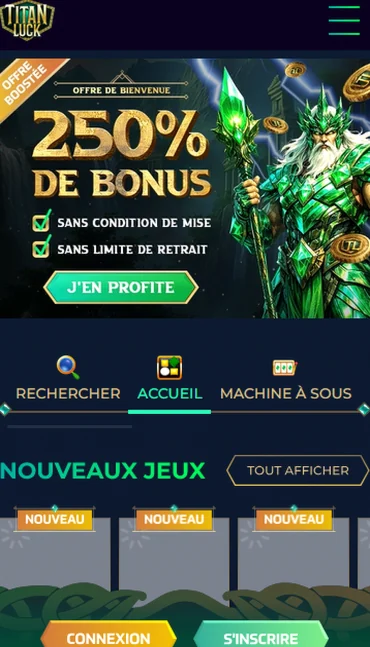
You get the lobby with its categories (Slots, Live Casino, Arcade Games, Boosted RTP, Table Games and Video Poker), the New Games row and the search bar. Each game shows its RTP in the information screen, and the chat button opens live support from any page of the app.
The content is identical to the website: the same games, bonuses and limits. The app adds an icon on your home screen and the fingerprint or Face ID unlock of your phone, and it spares you from typing the site address at every visit. It also opens in full screen, without the browser bars. The Slots lobby opens from your Home Screen as well.

The mobile catalogue holds more than 2,500 games and 120 live tables, from the same studios as on a computer. Games adjust to the touchscreen, in portrait or landscape depending on the title.
Pragmatic Play, Hacksaw Gaming, Play’n GO, Spinomenal and Wazdan supply much of the catalogue, with titles such as Shadow Gods, Crimson Castle and Gates of Olympus. Each game’s RTP is shown in its information screen, and most slots have a demo mode. Tap a game to read its details before you place a bet.
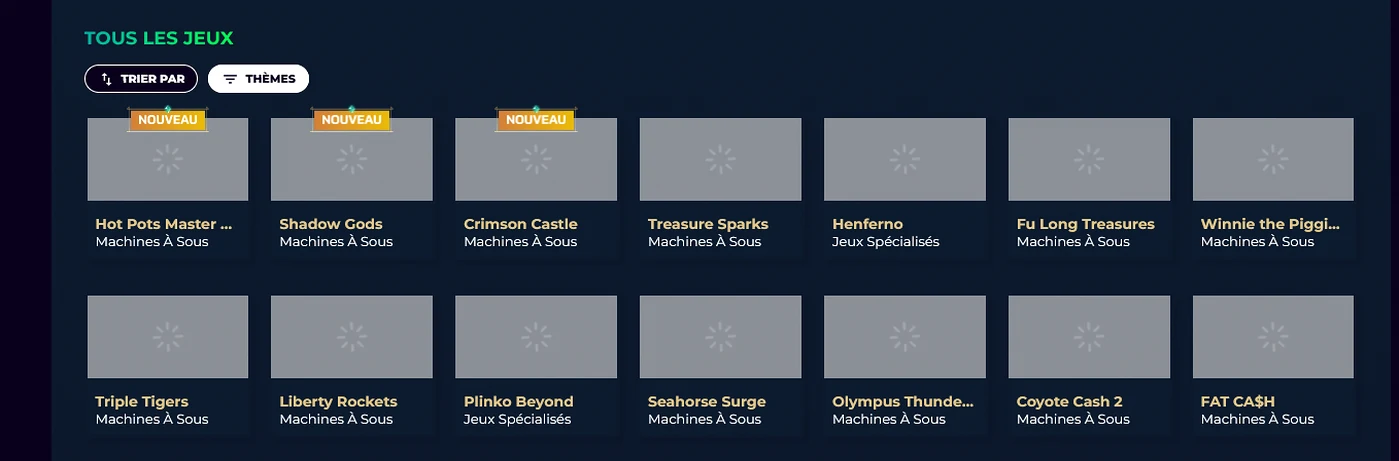
Evolution Gaming, Pragmatic Play Live, Ezugi, Playtech Live and Lucky Streak run the tables, among them Immersive Roulette, Power Blackjack and Mega Wheel. Stakes range from $0.30 on automatic roulette to $7,750 at the VIP tables.
Landscape orientation gives the table and the chips more space, and the video adapts to your connection speed.
Plinko Beyond, Henferno and Aviatrix run in the app with the same short rounds as on a computer. You control the cash-out, and stakes range from $0.15 to $775. The buttons are sized for a thumb, so you can cash out in time on a small screen.
Deposits start at $30 with every method except bank transfer, and withdrawals start at $45 depending on the payment method. The mobile cashier offers the same methods as the website, with Interac e-Transfer, iDebit and Instadebit at the top.
The app accepts the same methods as the website: Interac e-Transfer, iDebit, Instadebit, Visa, Mastercard, Apple Pay, Paysafecard, Skrill, Neteller, bank transfer and four cryptocurrencies (Bitcoin, Ethereum, Litecoin and USDT). Apple Pay and Paysafecard are for deposits only, and the withdrawal then goes by Interac e-Transfer, bank transfer or crypto.
Processing times depend on the method you choose. The table below gives the times for deposits and withdrawals, after internal processing of 24 hours at most.
| Payment method | Deposit time | Withdrawal time |
|---|---|---|
| Interac e-Transfer, iDebit, Instadebit | Instant | Within 24 hours |
| Visa, Mastercard | Instant | 1 to 3 business days |
| Skrill, Neteller | Instant | Within 12 hours |
| Bank transfer (EFT) | 1 to 2 business days | 2 to 4 business days |
| Bitcoin, Ethereum, Litecoin, USDT | After network confirmation | 1 to 4 hours |
| Apple Pay, Paysafecard | Instant | Deposit only |
We process each withdrawal request after the account is verified, which happens at the first withdrawal or once your deposits reach $1,550. Payments are handled by PCI DSS certified providers.
Fees from the payment provider or the crypto network stay with you, because we charge none. Withdrawals are capped at $3,100 a day, $15,500 a week and $46,500 a month.
You open or recover your account directly in the app, with the same details as on the website. There is no need for a separate account on mobile.
Registration is a single form filled in in about a minute. It asks for your first name, last name, email address, password, country, mobile phone number and date of birth, and it includes your consent to functional and marketing communications, for players aged 19+ (18+ in Alberta, Manitoba and Quebec).
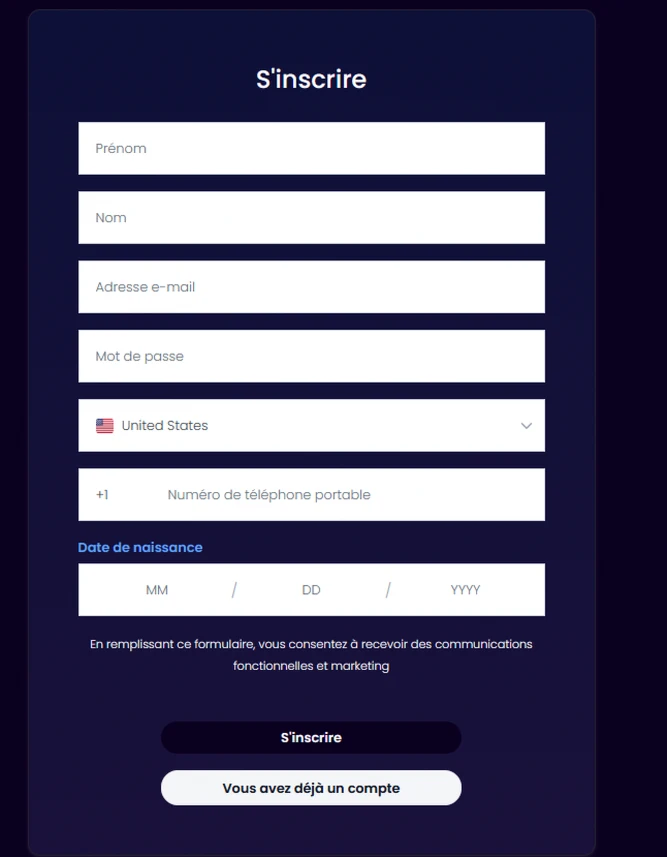
The account is confirmed by email, and you can then set deposit limits from the settings.
Sign-in uses your email address and password, with a Remember me tick box. If your phone offers fingerprint or Face ID, that unlock replaces typing the password, and the two-factor code is still requested when that protection is on.
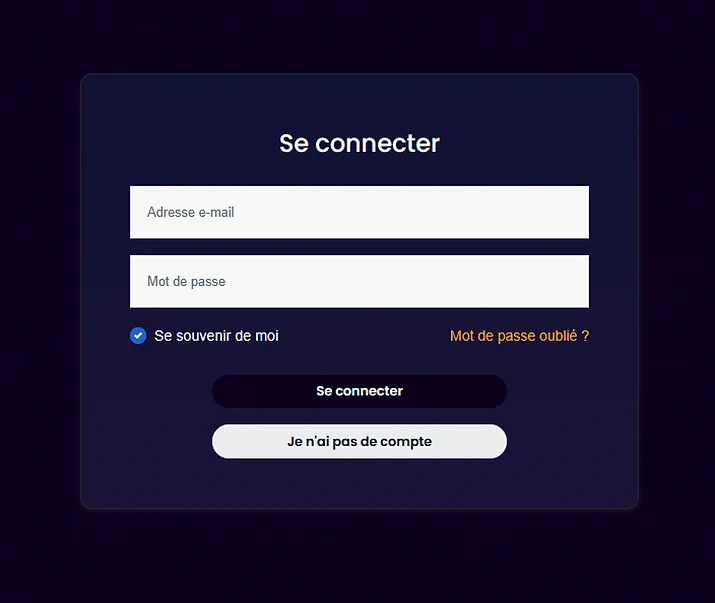
A session closes by itself after 30 minutes of inactivity, and five failed attempts block access for 30 minutes.
Titan Luck bonuses work in the app exactly as on the website, with the same account, the same cashier and the same bonus balance. No offer is reserved for one format.
The 200% welcome boost of up to $15,500 + 250 free spins is activated in the cashier before you bet with your first deposit, which needs $30 at least, for players aged 19+ (18+ in Alberta, Manitoba and Quebec). The mobile cashier shows the offer, which you can accept or decline.

The full conditions are on the Titan Luck bonus page. The daily and weekly cashbacks and the Free Spins Wheel are reached from the same menu as on the website.
Live chat is reachable from the app every day from 8 a.m. to 8 p.m. ET, in English and in French, from the chat button on every page. Its average response time is under 3 minutes, and Titanluck support also answers at [email protected].
Email gets a reply within 12 hours, provided you state the email address of your account and attach the screenshots that help, such as an error message or a cashier receipt. Outside chat hours, email is the way to reach support, and the answer arrives in English or in French.
Deposit limits, loss limits, time-outs, reality checks and self-exclusion are set from your account settings. Time-outs and self-exclusion take effect immediately, raising a limit only applies after 24 hours, and the minimum age is 19+ (18+ in Alberta, Manitoba and Quebec). Reality checks remind you how long you have been playing.
Questions about the app
The APK needs Android 7 or newer and takes up 38 MB. The web app runs on iOS 13 or newer from Safari.
No, Titan Luck is on neither Google Play nor the App Store. The APK downloads from our website, and the iOS web app is added from Safari.
The iOS web app updates automatically with the site. For the APK, a notification flags a new version, which you download from our website.
Install Titan Luck on your phone
Claim 200% up to $15,500 and 250 free spins.
Start Playing Gambling carries a risk of addiction. You must reach the legal age in your province, and the bonus terms apply.